Apple has released iOS 26.4 beta 1 to developers, introducing changes across Messages, Apple Music, Podcasts, Reminders, the App Store, and system security settings.
The new iOS update is currently available to registered developer beta testers. The build number is 23E5207q. A public beta is expected to launch in the coming weeks.
iOS 26.4 Beta 1 availability
Developers can install iOS 26.4 beta 1 by going to:
Settings > General > Software Update
As with all early beta releases, features may change before the final version.
Apple Music Playlist Playground among first new AI features in iOS 26.4
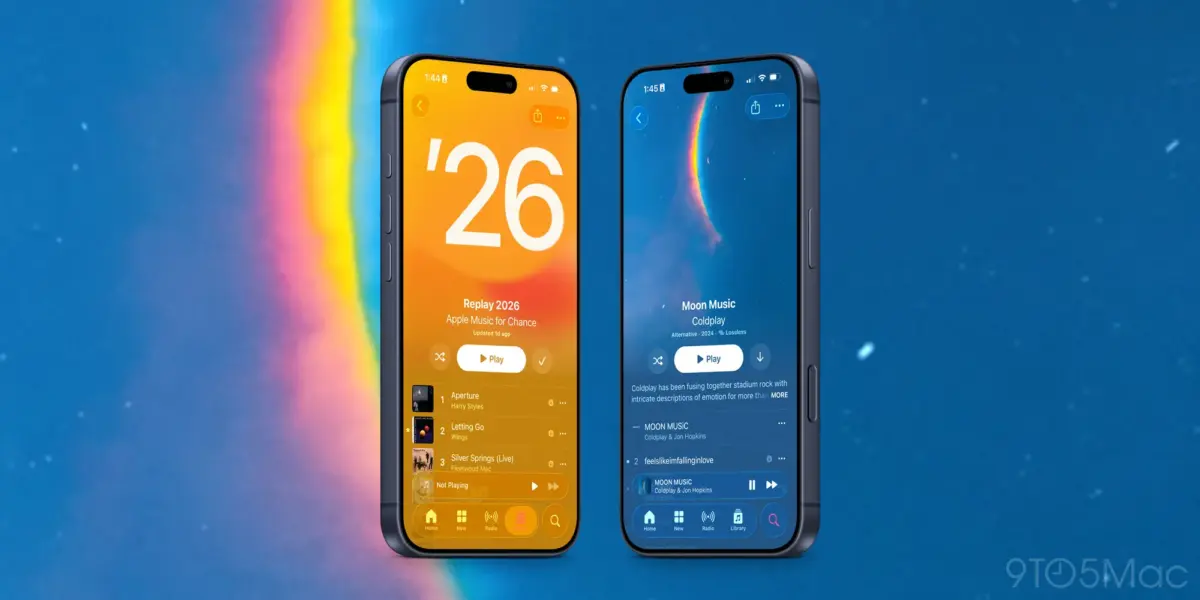
Apple Music receives 3 updates in this release.
1. Full-screen artwork and concert discovery
Select albums and playlists now display full-screen animated artwork. Apple says this change is designed to make browsing more visually immersive.
The update also adds support for finding concerts near you and viewing tour dates for artists in your library.
2. Redesigned Profile interface
The Profile section has been redesigned for faster access to common tasks. A similar updated interface appears in the App Store, Apple Podcasts, and Apple TV.
3. Apple Intelligence in Apple Music
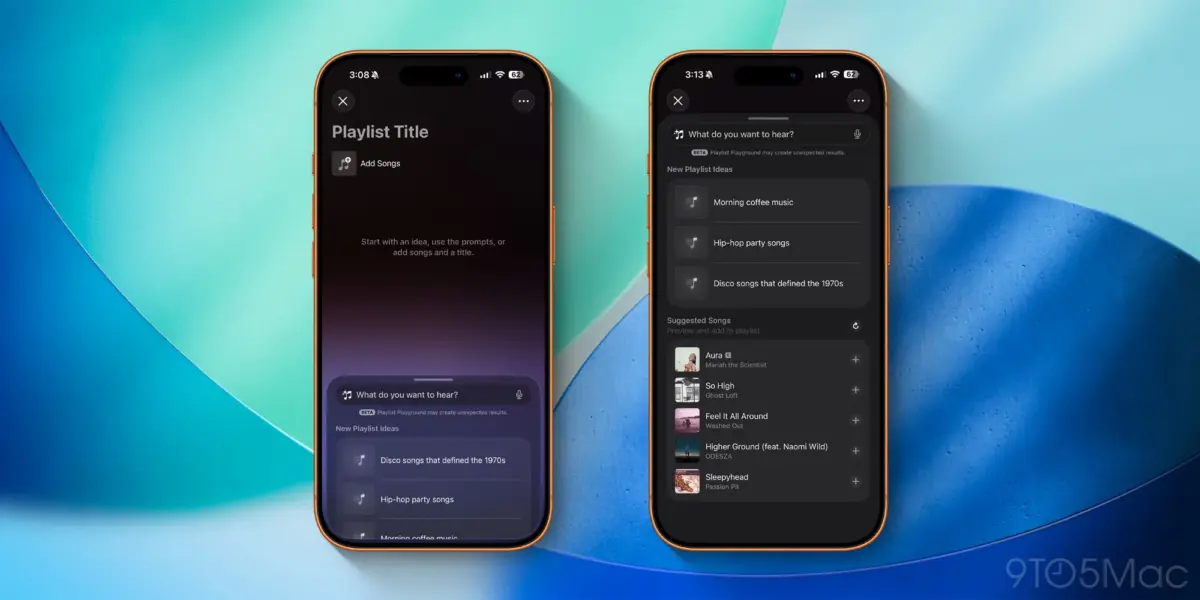
iOS 26.4 introduces Playlist Playground, a new interesting Apple Intelligence feature in Apple Music.
Playlist Playground allows users to generate playlists using text descriptions or other prompts. The system creates playlists based on that input directly within the Music app.
If you rely on manually built playlists, review the generated results before saving them permanently.
Apple Podcasts: Advanced video features
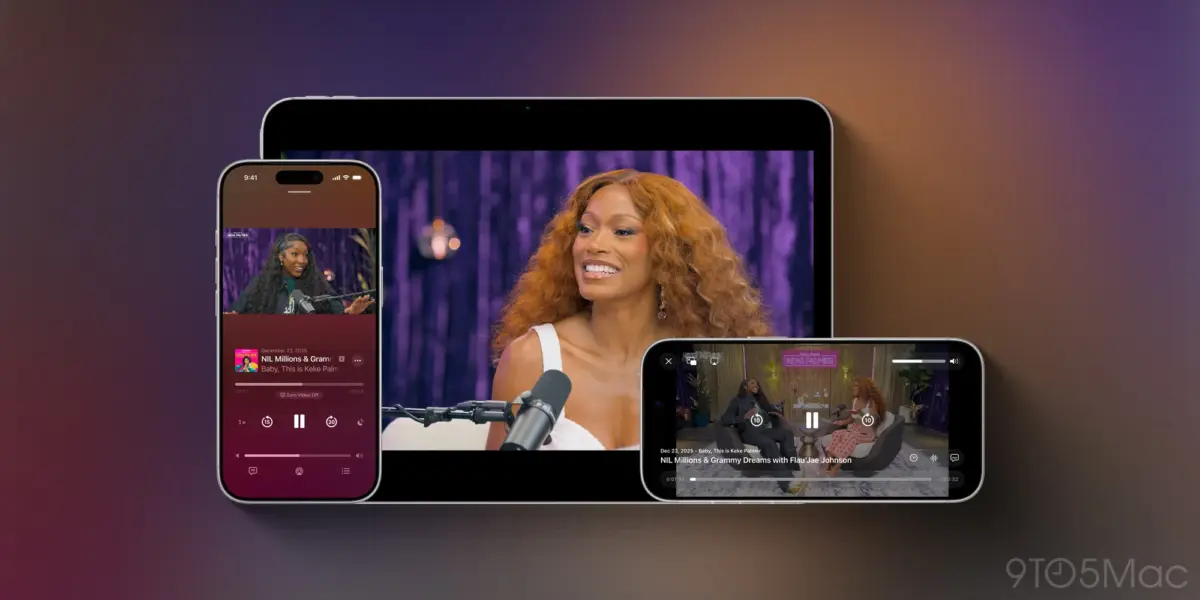
The Apple Podcasts app adds “advanced video podcast capabilities.”
Users can switch more easily between video and audio playback for podcast episodes. The feature uses Apple’s HLS technology to automatically adjust quality based on network conditions.
Dynamic video ads are also now supported in Apple Podcasts.
Reminders App: New Urgent Smart List
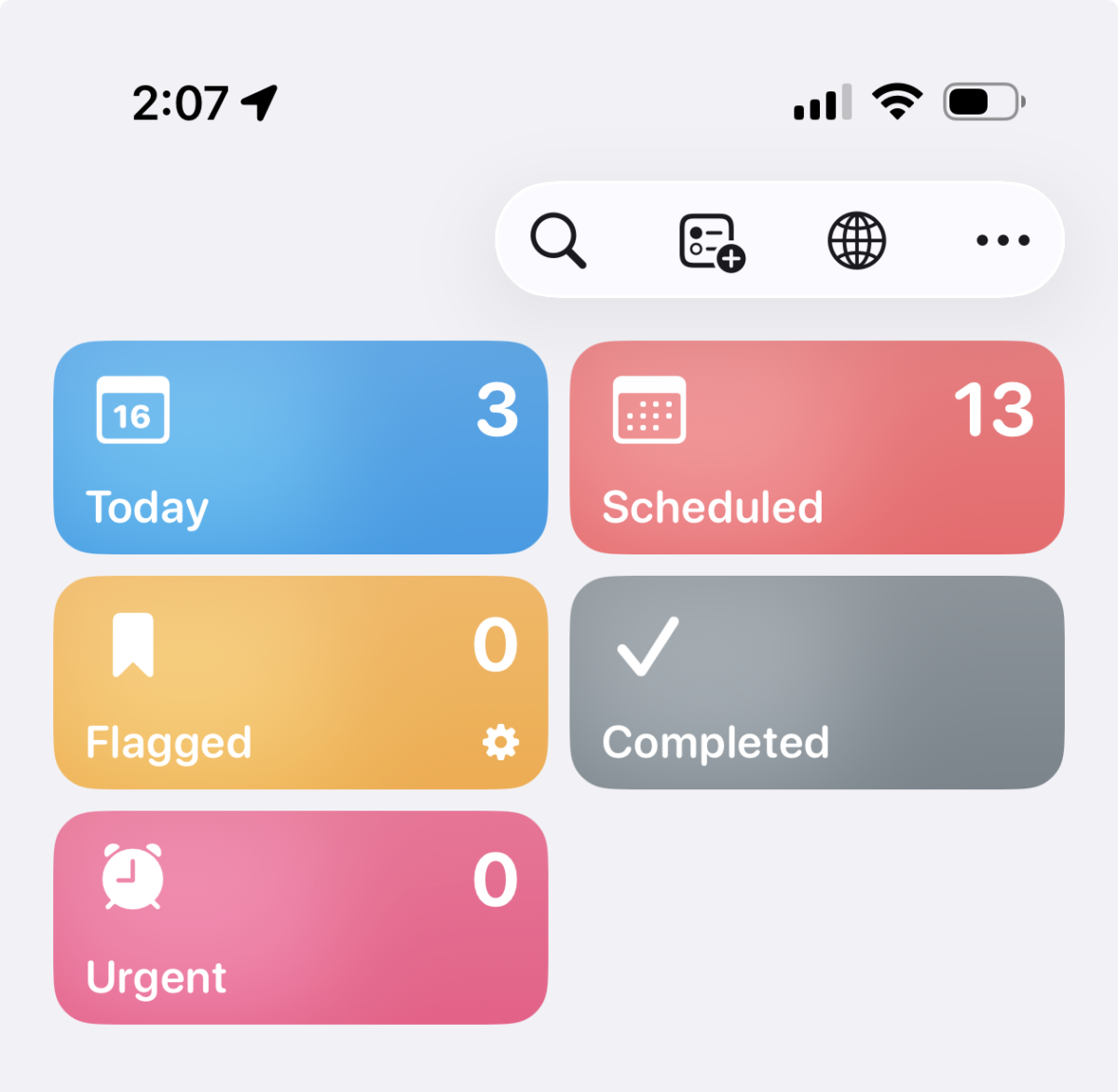
The Reminders app adds a Smart List for tasks marked as “Urgent.”
When a task is designated as urgent, the system sets an alarm reminder. The new Smart List groups these tasks automatically, making them easier to track in one place.
If you already use priority tagging, review your Smart Lists after updating to make sure tasks are categorized as expected.
End-to-End RCS Encryption for Messages
iOS 26.4 beta 1 adds support for testing end-to-end encrypted RCS messaging.
At this point, encrypted RCS is limited to iPhone-to-iPhone communication for testing purposes. Apple has not announced wider rollout details.
If you are testing RCS features, confirm that both devices are running beta builds.
iOS Wallpaper Gallery redesign
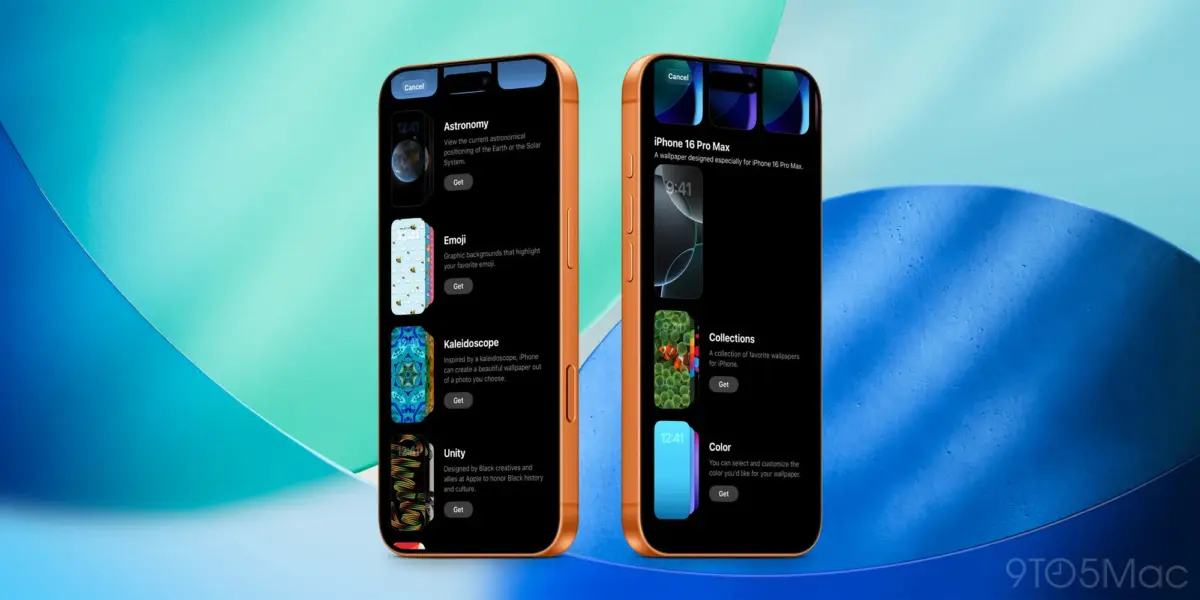
iOS 26.4 redesigns the Wallpaper Gallery interface.
Categories are more clearly separated, and navigation is faster. Apple has introduced a similar update in the Apple Watch face gallery.
Users who frequently customize Lock Screen and Home Screen wallpapers will notice the cleaner layout immediately.
iOS Stolen Device Protection is now enabled by default
Stolen Device Protection is now turned on by default in iOS 26.4.
When enabled, the feature requires biometric authentication for sensitive actions when the device is away from trusted locations such as home or work. Certain changes also trigger a timed delay requiring a second biometric confirmation.
Previously, users had to enable Stolen Device Protection manually.
After updating, verify the setting under:
Settings > Face ID & Passcode > Stolen Device Protection
If you prefer not to use the feature, you will need to disable it manually.
App Store changes
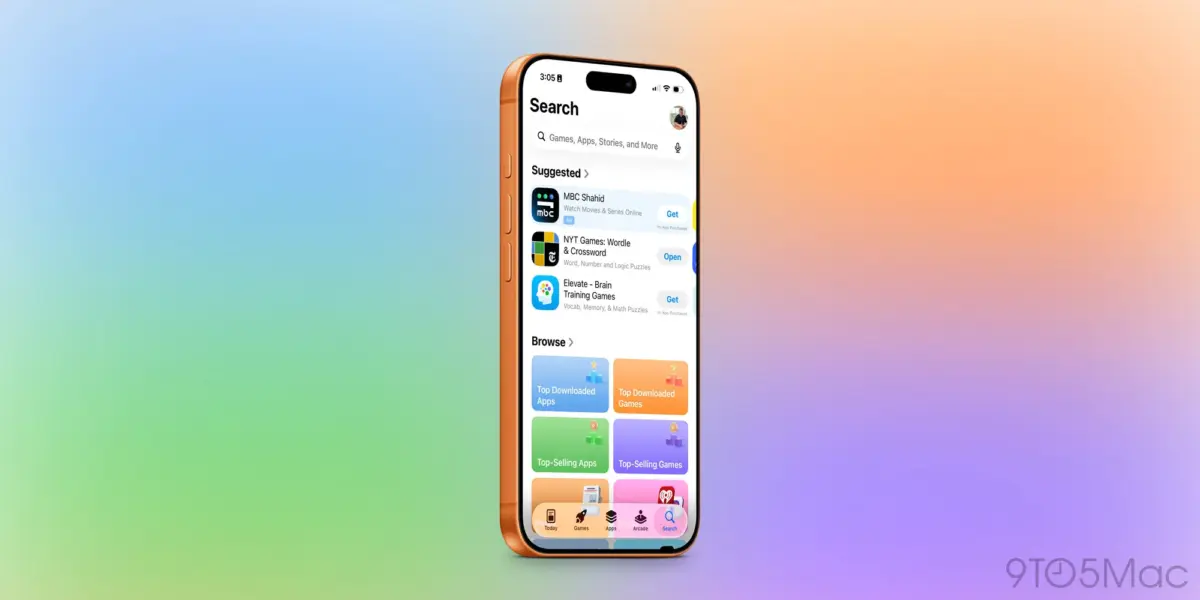
The App Store search bar has been moved back to the top of the Search tab.
The Search tab itself is now integrated into the bottom navigation bar instead of appearing as a floating button.
These changes affect navigation flow but do not alter search functionality.
Additional iOS 26.4 Beta 1 updates
Other changes in iOS 26.4 beta 1 include:
- A new Shortcuts action for setting an iPhone charge limit
- The ability to add and remove locations in Weather
- A new Home Screen widget for ambient music playlists
- A new Freeform icon and splash screen referencing Apple Creator Studio
iPadOS 26.4 also restores the compact tab bar in Safari.
More changes may happen as testing continues. Early beta builds often include additional fixes in later releases.
Thank you for being a Ghacks reader. The post iOS 26.4 Beta 1: What is New? Playlist Playground AI appeared first on gHacks.
0 Commentaires