Opera's Android browser now gives you an option to access Ask AI directly from the search box. It is powered by Aria AI.
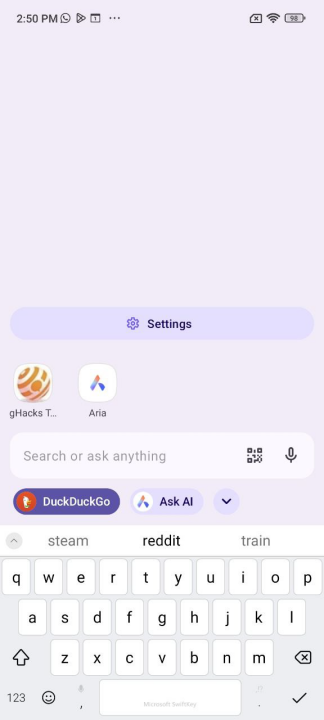
To use the feature, open a new tab and tap the search bar. It displays two options, the first of which is your search engine. The other option is Ask AI. Opera says that this allows users an easier way to interact with the AI.
(Image courtesy: Opera)
As for using the AI, there is a new option that lets you attach files. Tap on the + sign to start the process. You can use your mobile phone's camera to take a picture and upload it, or select a file from your Gallery or even a PDF from the Documents folder. For example, it can be used to translate text in images. You can ask follow-up questions about the attachment to learn more about it.
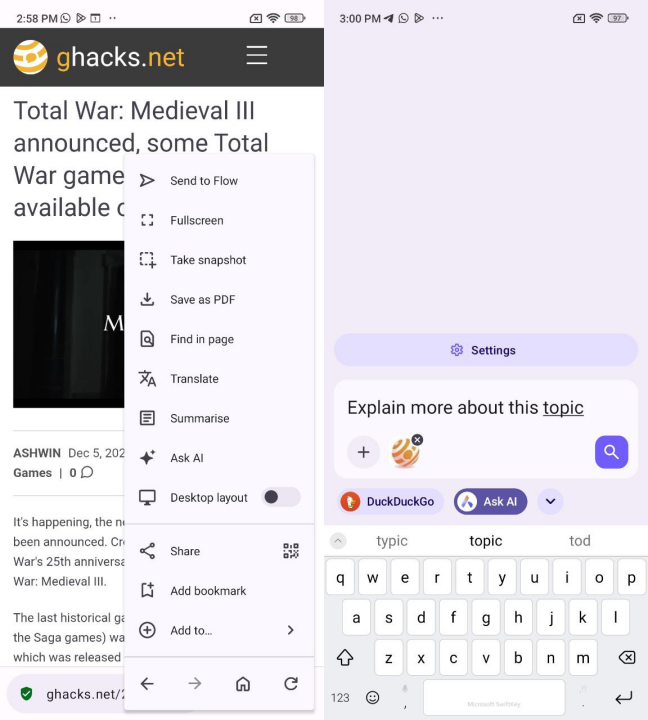
There's another way to access Ask AI, using the current tab as context. When you are on a web page, tap on the three-dot menu, and select the "Ask AI" option. The search bar will appear, and you can type in your prompt, with the current tab in context.
Opera says that to protect the privacy of users, the AI cannot access the contents from other tabs or your browsing history, it can only access the tab that you interacted with. It also explains that the Page context data is sent to the AI Engine only when the user accesses it. The prompt and page context data are encrypted and sent to Opera's servers for the AI model to process it. This data is stored on the server for 30 days and deleted automatically once the duration is up. Opera says it will not use the data for training its AI, or advertising or any other purposes.
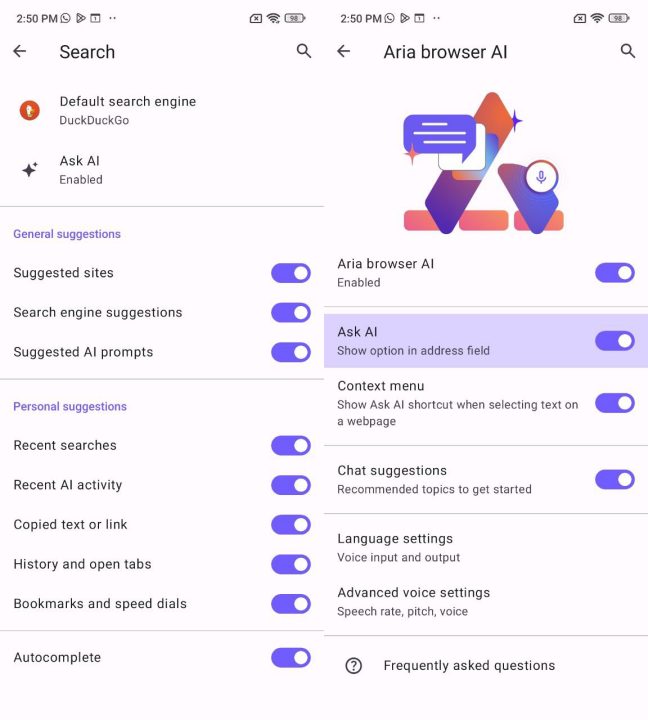
Ask AI is enabled by default. If you don't like it, you can disable it from the app's Settings. Tap on your profile > Settings > Search < Ask AI. A quicker way to get to this screen is to tap on the search bar, which shows a settings button. Use it to get here in just 2 taps. There are several options on this page, the one that is new is the "Ask AI - Show option in address field". If you want to remove Ask AI from the menu, toggle the option that is labeled "Context menu - Show Ask AI shortcut when selecting text on a webpage"
Such features should be opt-in, not opt-out.
Download Opera for Android from the Google Play Store. Opera recently added a music visualizer to its desktop browser, you can read about it here.
What do you think about Ask AI?
Thank you for being a Ghacks reader. The post Opera for Android now lets you access Ask AI from the search bar appeared first on gHacks Technology News.





0 Commentaires