Windows users have plenty of options already when it comes to tweaking or debloating Windows. From WinAero Tweaker and O&O ShutUp10 to specialized apps such as O&O AppBuster or WinScript.
All of these are great tools, but there is always room for another one, right? Sparkle is a new app for Windows 10 and 11 that combines tweaks with a cleaner and several other tools. It is open source, which is always welcome, and available as a free download. Some may not like that it uses Electron, as it is the main reason why the app has a hefty size of 150 megabytes.
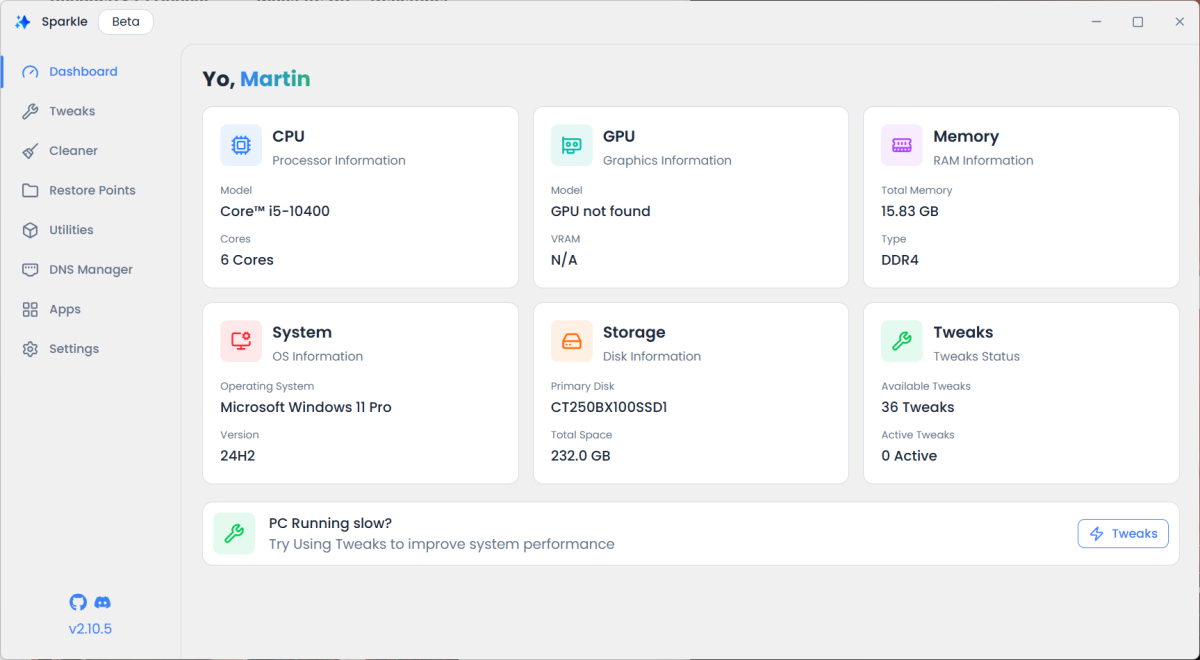
You can run the app right after installation. It loads its interface and displays the dashboard, which highlights mostly hardware specs. You do get the list of applied tweaks on the page as well, and a link to tweaks, but that is about it.
Tweaks is one of the core components of Sparkle. It includes 36 in total currently, from single changes, such as disabling Copilot or disabling location tracking, to running debloat scripts. Two of these are supported right now. A click on the docs button opens a wiki page that explains how these differ.
In this case, selecting Sparkle's own is an app uninstaller that will remove apps that you do not check. The second script. Raphire's Winn11Debloat script, is far-reaching and will remove bloatware and improve privacy.
You may encounter one of the main issues in Sparkle at the time of writing on the tweaks page. The title and description that Sparkle presents may not be enough in some cases to make an educated decision. It is necessary to click on the docs button, which opens a website in the default browser. There, you get more details, but may need to click again to fully understand the changes a tweak makes.
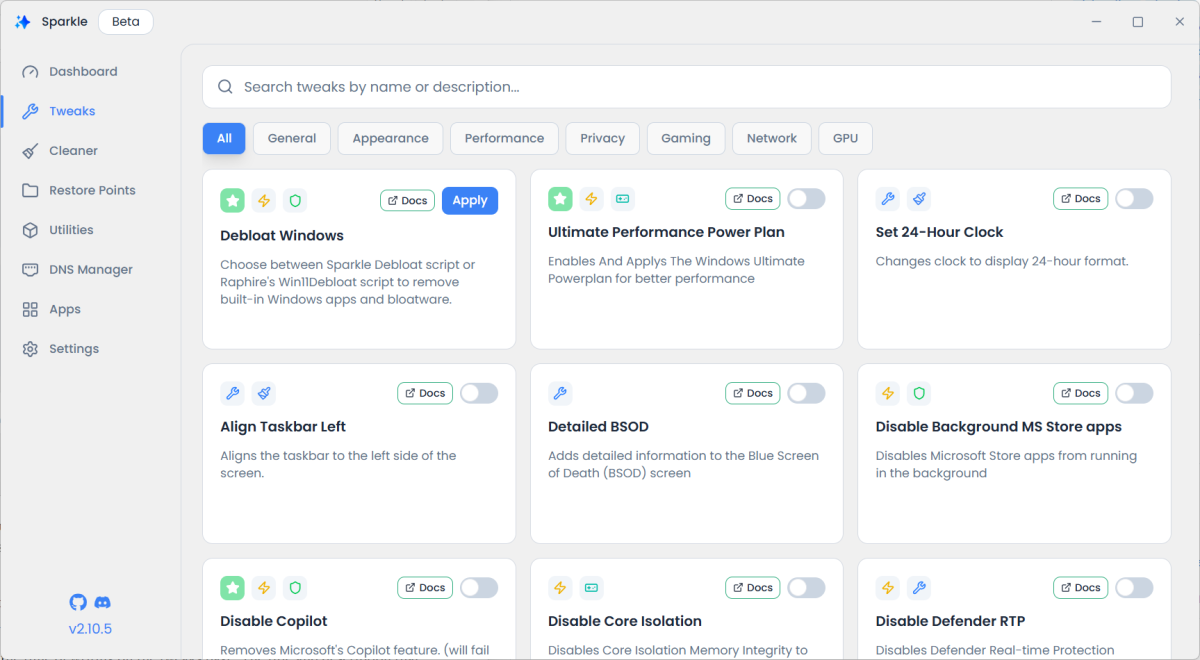
It would be better, if Sparkle would provide core information in its interface, for instance via a tooltip. However, the majority of tweaks come with a simple toggle to enable or disable them.
Cleaner is another section. It is rather basic, as it cleans temporary files, prefetch files, the recycle bin, Windows Update cache or thumbnail cache only. While these are locations that can make a difference by freeing up plenty of space, the section could be expanded to come closer to the functionality of CCleaner or Bleachbit.
Here is an overview of the remaining sections:
- Restore Points displays a useful overview of all created restore points on the system. You can create a new one or delete the snapshots here.
- Utilities serves as a hub for launching commands or tools. You can use them to reset the IP stack or Winsock, open the Device Manager, and more.
- DNS Manager displays the current DNS provider and options to set a provider. Sparkle includes six providers, which you may enable with two clicks.
- Apps displays the list of installed apps. You can uninstall apps from here, export a list, or bulk uninstall apps.
Closing Words
Sparkle is a beta program and it shows in some sections. The program was reliable during tests and it felt like using a stable software, but more testing is needed to come to a final conclusion. If the developer managers to add more features to some of the sections and improve usability, it could become a popular tweaking choice for Windows users, Electron or not.
Now You: do you use tweaking tools? If so, which is your favorite and why?
Thank you for being a Ghacks reader. The post Sparkle review: make Windows leaner and less bloated with this new tweaker appeared first on gHacks Technology News.





0 Commentaires